
Cloudflare Email Routing
A domain is a hard prerequisite for deployment
Mail reception in this project is entirely dependent on Cloudflare Email Routing. Before deploying Worker / Pages, you must already have:
- A domain whose DNS is hosted on Cloudflare.
- Email Routing enabled on that domain in the Cloudflare dashboard, with the
Email DNS recordsprovisioned.
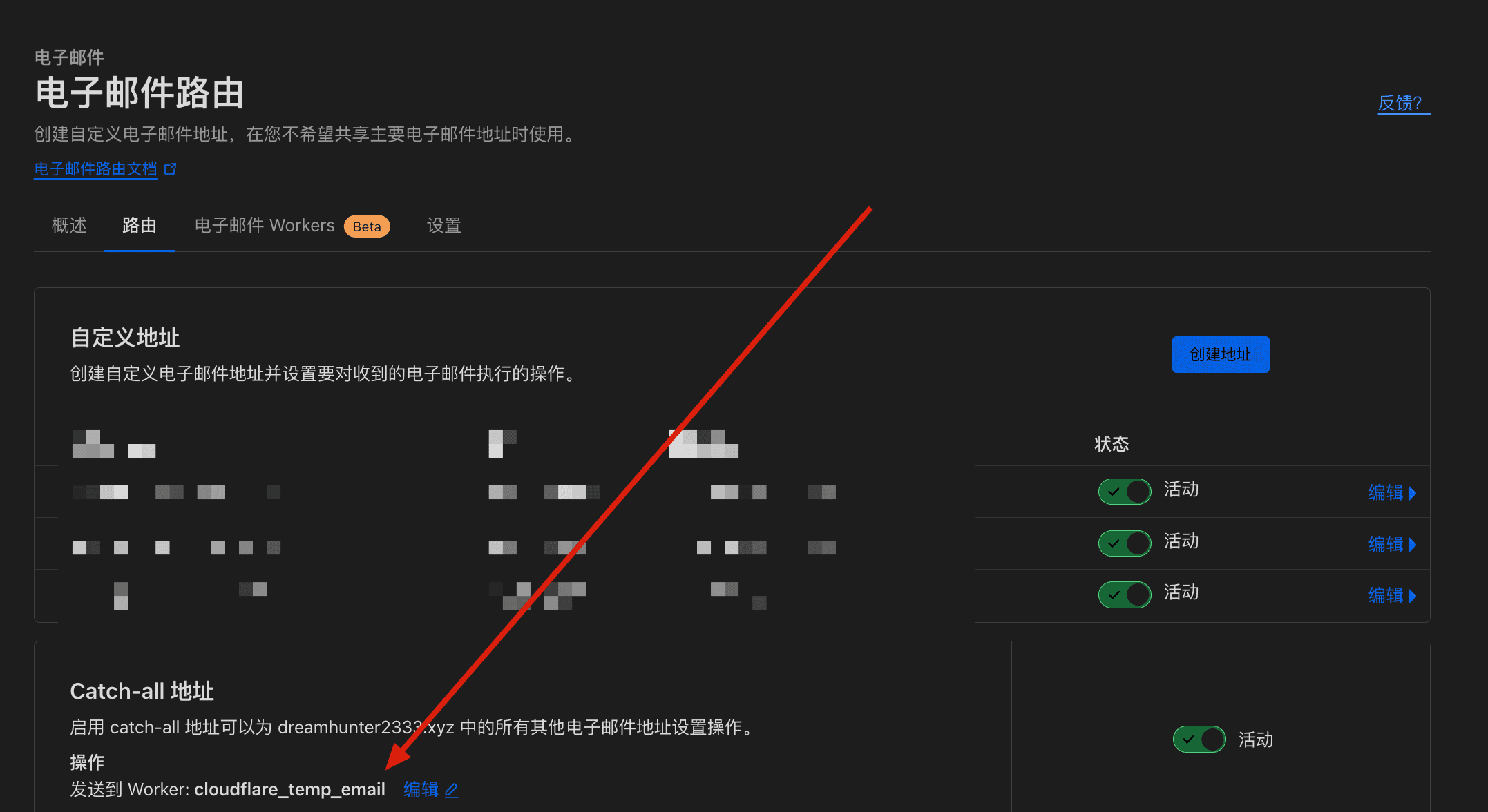
After the Worker is deployed, you must also configure a Catch-all routing rule that delivers mail to that Worker. Without completing both phases, no inbound mail and no verification code will ever be received, even if the Worker / Pages deployment itself succeeds.
In the CF console for the corresponding domain under
Email Routing, configure theEmail DNS records. If there are multiple domains, you need to configureEmail DNS recordsfor each domain.Before binding an email address to your Worker, you need to enable email routing and have at least one verified email address (destination address).
Configure the
Catch-all addressin the routing rules of each domain'sEmail Routingto send toworker.
Subdomains must be configured separately
If you want to receive mail on a subdomain (e.g. mail.example.com), you must enable Email Routing on that subdomain in the CF dashboard and configure its email DNS records and Catch-all rule separately. Enabling Email Routing only on the apex domain does not cover subdomains, and a subdomain does not inherit its parent domain's Email Routing configuration — mail to a subdomain that has not been individually enabled will fail to deliver.